
FinOps
Cloud costs, clearer decisions
Understand where your money goes and turn resource recommendations into a practical starting point for optimisation, making the most of your cloud investment.
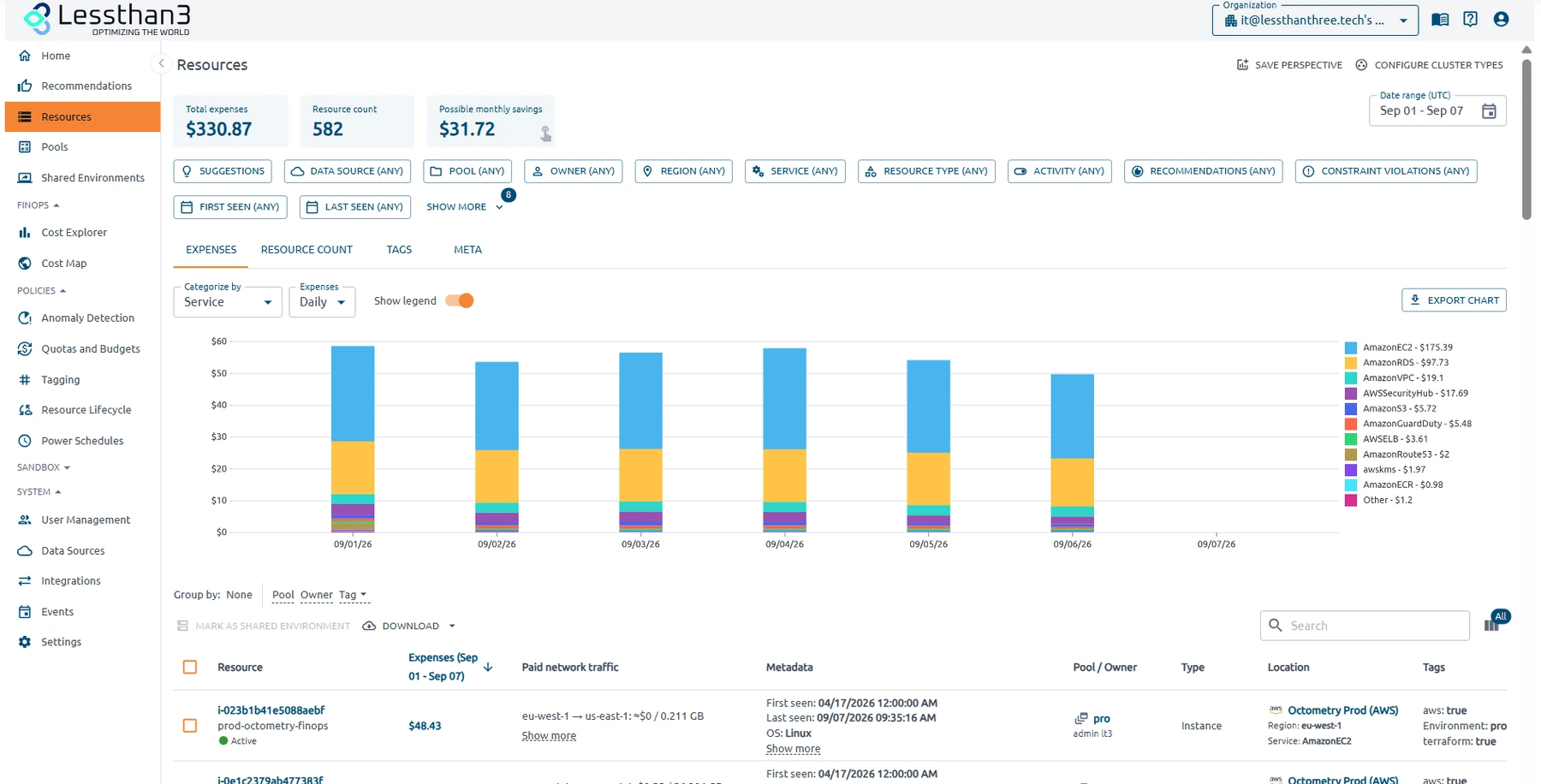
Understand where your budget goes
See spending across your cloud environment and go from the invoice to the resource behind it. Give engineering and finance the same data to work with.
- All your cloud spending in one view
- Resource-level context to investigate each item
- A shared foundation for conversations between engineering and finance
Where spending adds up.
Compute
60%
Storage
25%
Network
15%
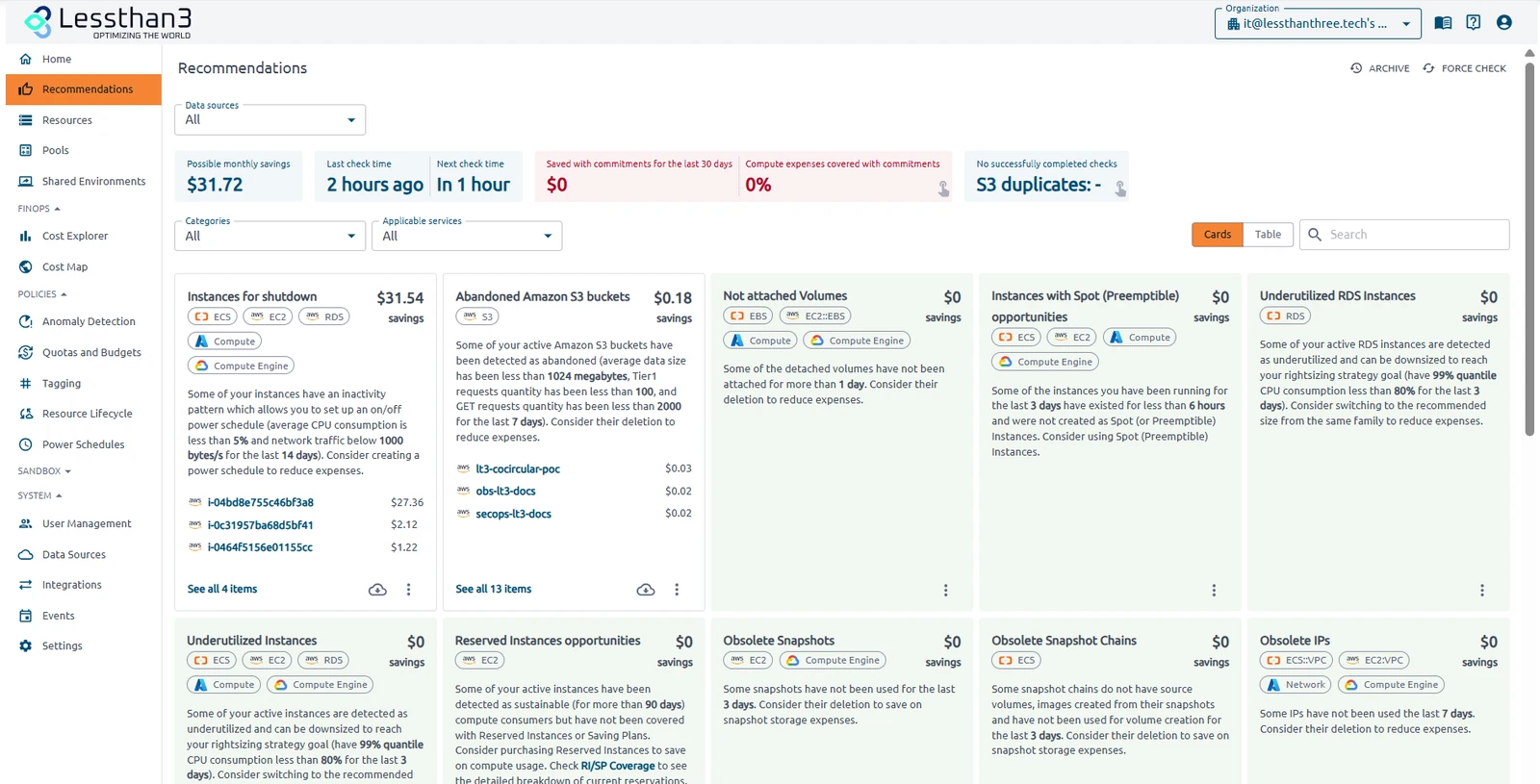
Find the waste. Understand the next step
Identify underused, inefficient or forgotten resources. Review the suggested action and estimated savings before deciding what to investigate first.
- Identify underused, inefficient or forgotten resources
- Estimated savings to compare opportunities
- Recommendations with operational context
What could we optimise first?
A practical path to understand your infrastructure and decide what to do next.
01
Analyse the opportunities
Start with the resource recommendations Korai presents to you.
02
Compare their impact
Weigh the estimated financial benefit against the requirements of each workload.
03
Choose the next action
Investigate and validate the change before applying it to your infrastructure.
FinOps is only one part
Connect cloud spending with performance, security and environmental impact.
Put your cloud spending in context
Explore Korai with a demo focused on your infrastructure and your priorities.