Observability

Cloud observability with context to investigate
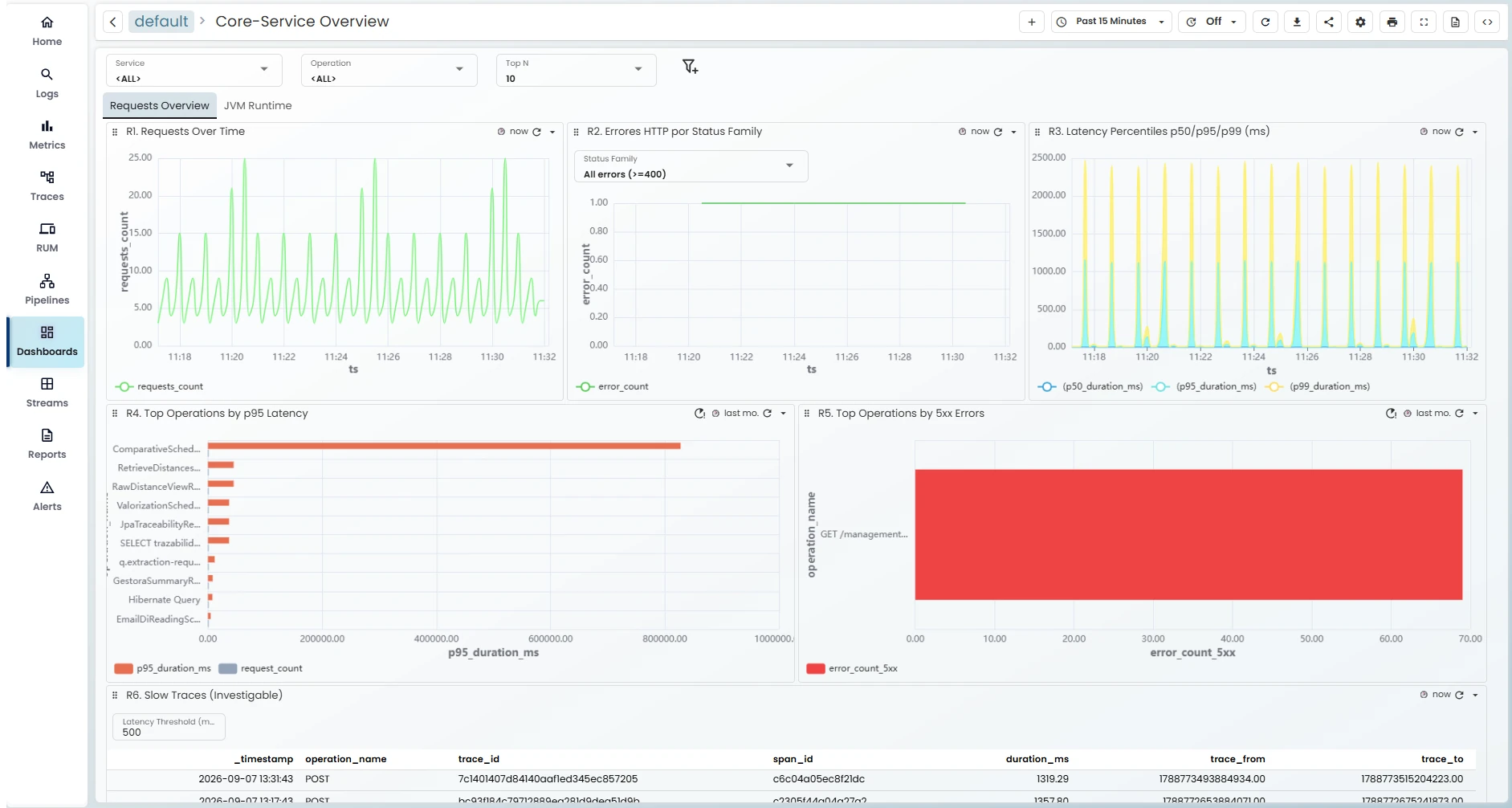
Bring metrics, logs and traces together to understand application behaviour, locate bottlenecks and investigate errors down to their cause.

Find where time is being spent

Analyse application performance and follow requests through the operations behind them. Identify bottlenecks and slow database queries with the context your investigation needs.
  • Application and infrastructure visibility
  • Configurable technical and business dashboards
  • A deeper view of performance trends

One request, step by step.

ms
Gateway ms
Application ms
Database ms
Illustrative example. Not live customer data.

Different signals. One investigation

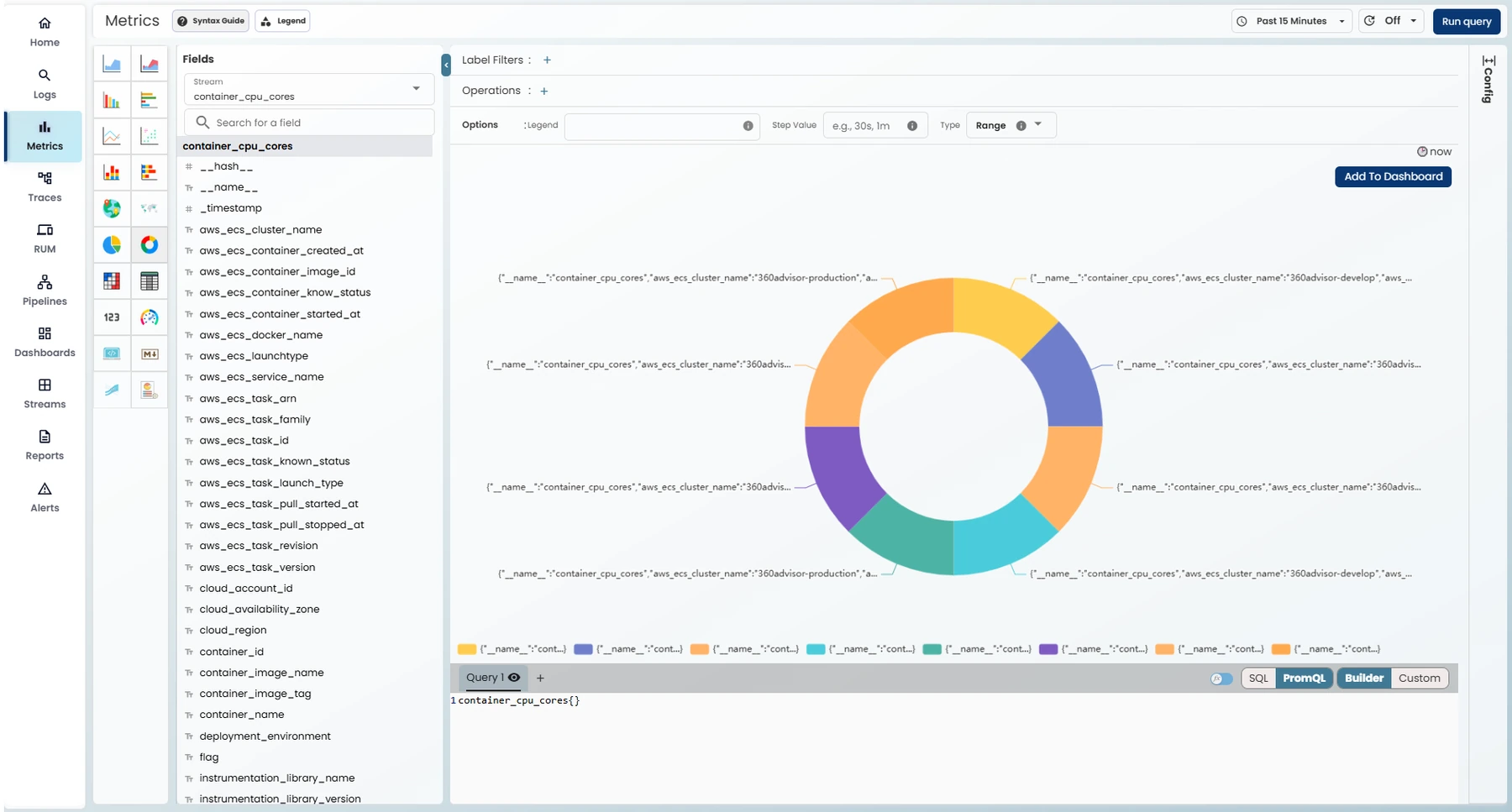
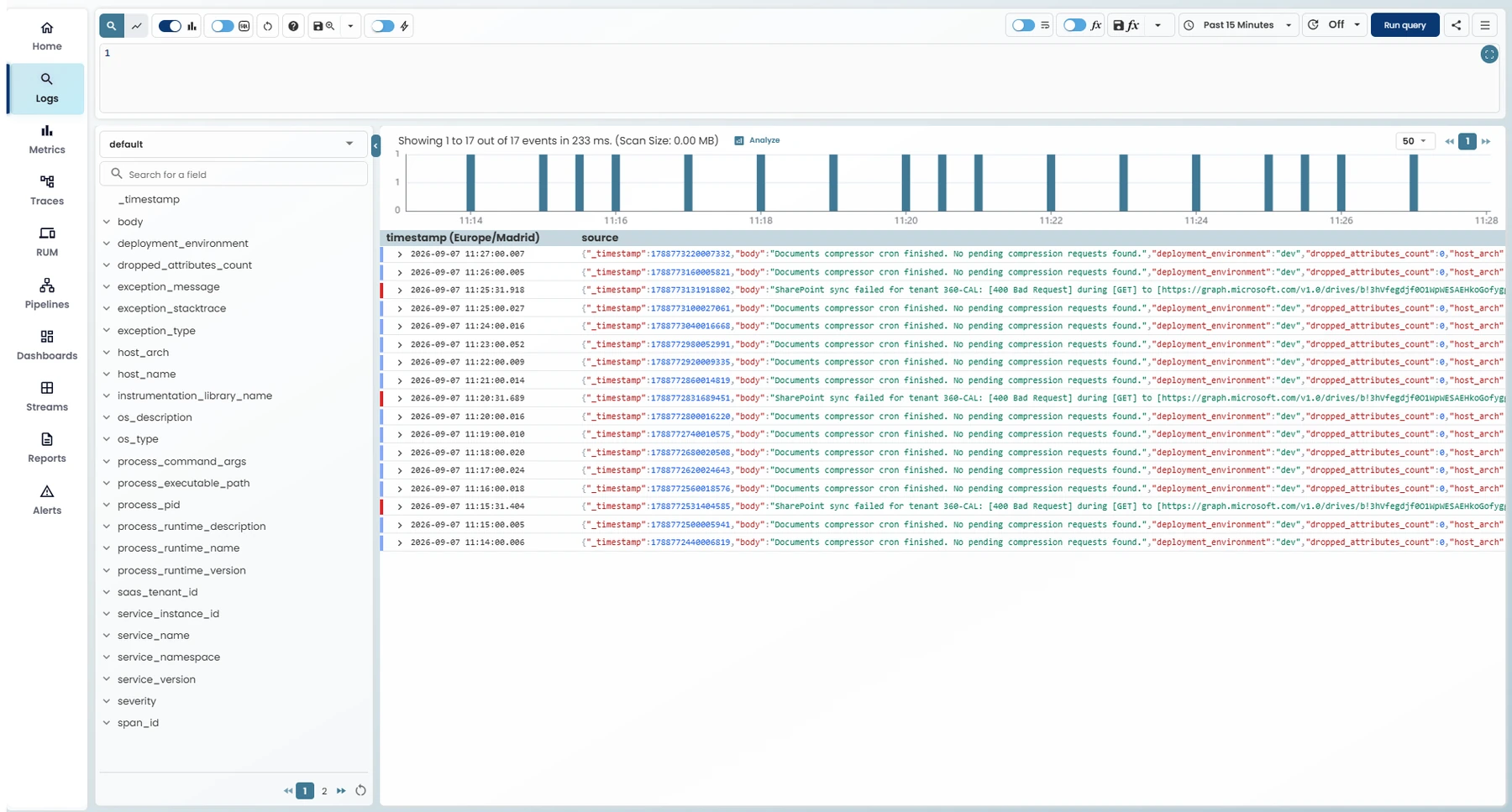
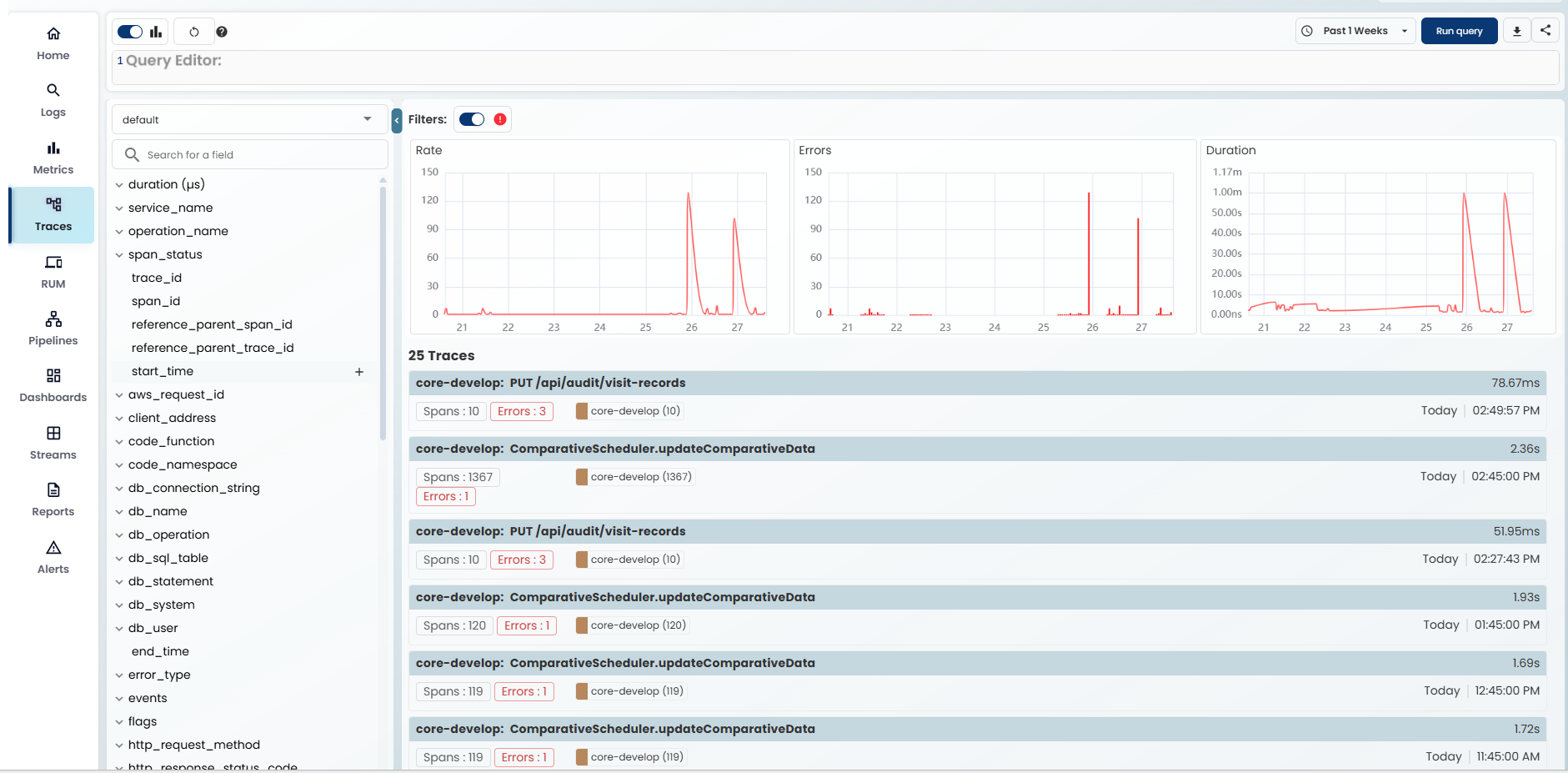
A metric reveals a change. A log adds detail. A trace follows the journey. Korai brings these signals into the same product so your team can investigate with context.
  • Metrics for trends and anomalies
  • Logs for event-level detail
  • Traces for request-level investigation

Model Selector

No two infrastructures behave in the same way. Model Selector continuously evaluates system behaviour and applies the analytical approach best suited to each operational scenario. It adapts to architectures, workloads and data patterns to identify anomalies and early warning signals.
  • Adaptive anomaly detection
  • Analysis matched to your infrastructure behaviour
  • Identification of operational risks

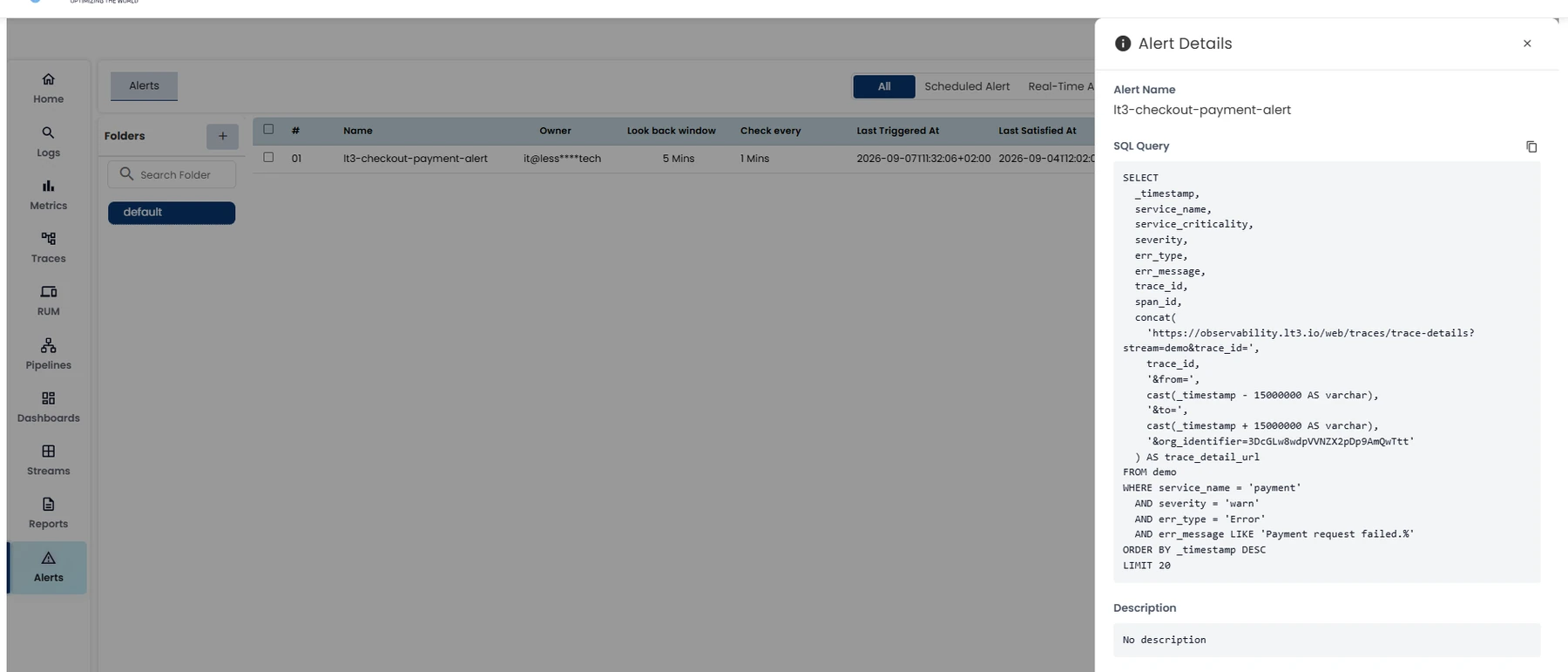
Bring changes to your team’s attention

Review alerts alongside the telemetry that helps explain them. Move from detecting a change to investigating what is behind it. Configure dynamic thresholds and intelligent notifications so the right people receive the right information at the right time.
  • Alerts alongside the data that explains them
  • Configurable dynamic thresholds
  • Notifications for the right team

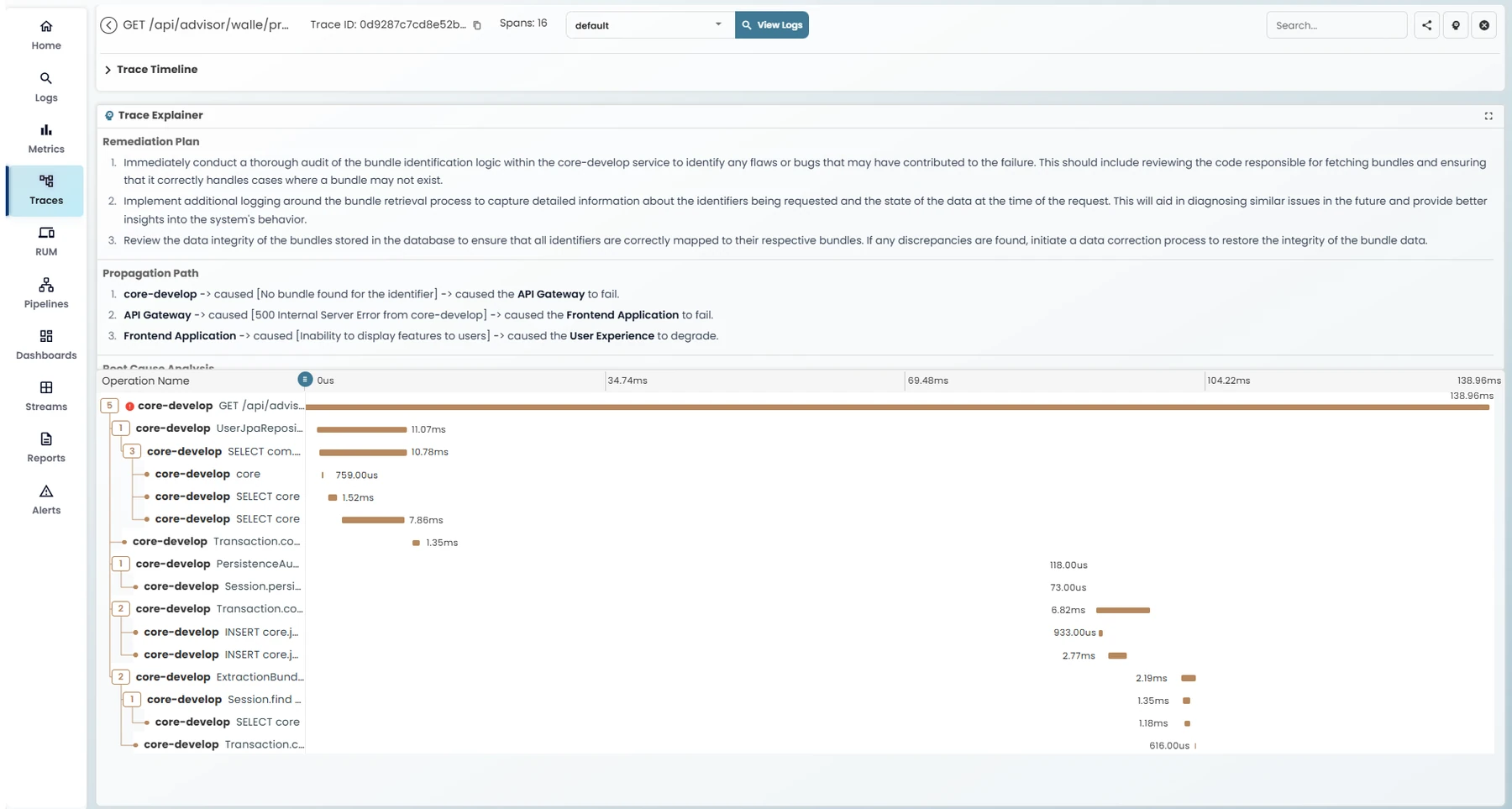
Trace Explainer: understand what happened

Trace Explainer follows the request, shows how the error propagated and explains it clearly so engineering and business teams can understand what happened. It also suggests corrective steps to guide your next investigation.
01

Follow the request

See the operations involved and where the error first appears.
02

Understand the error

Read an explanation of the error and how it propagated.
03

Decide your next step

Use the suggested corrective steps to focus your investigation.

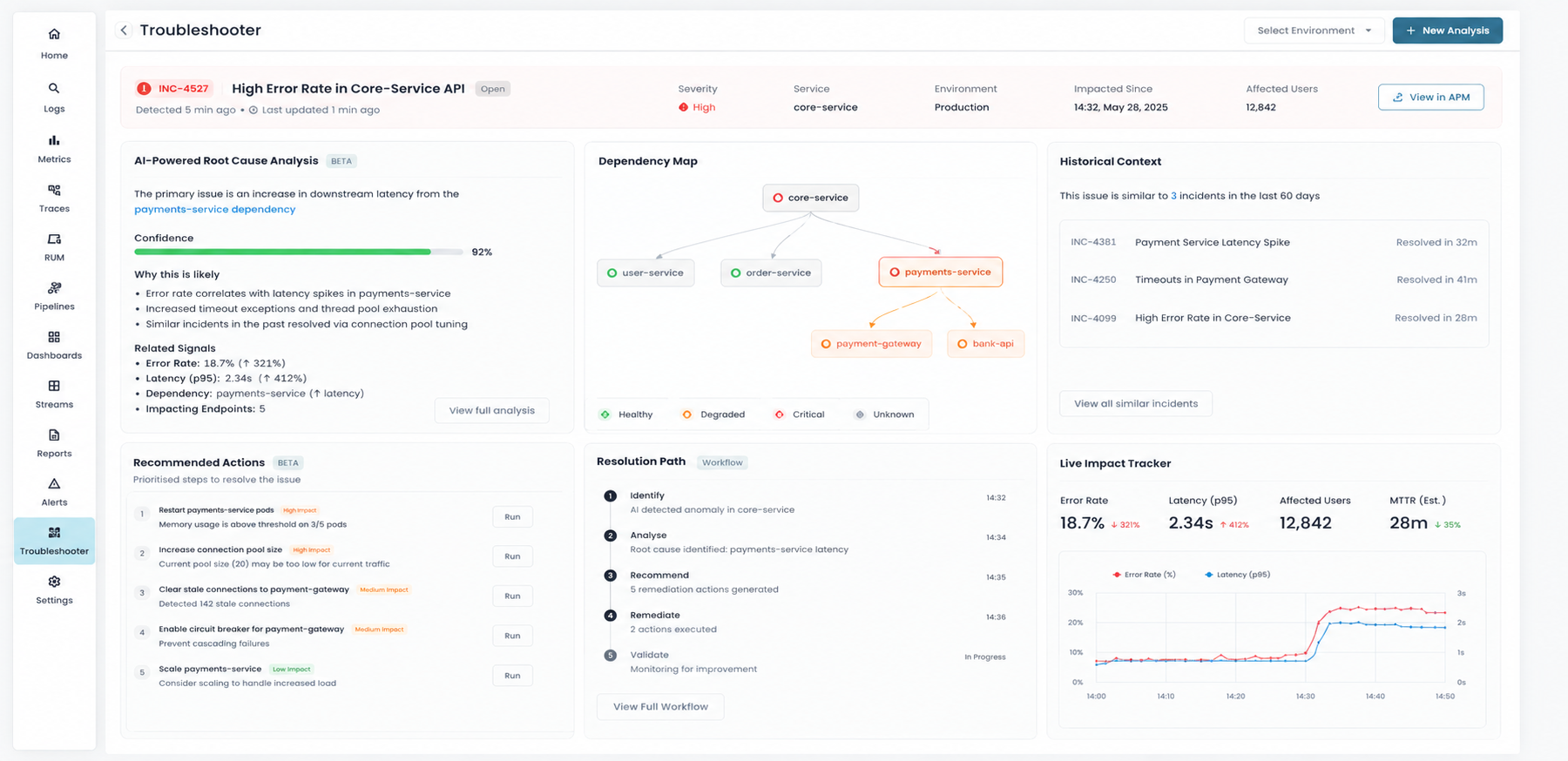
Troubleshooter: from diagnosis to action

Once you understand what happened, Troubleshooter helps you decide how to resolve it. Based on the diagnosis, it suggests an explained remediation plan tailored to your environment, with concrete, prioritised actions.
  • An explained remediation plan
  • Prioritised actions for your infrastructure
  • A clear next step after diagnosis
Why has this request slowed down?

A practical path to understand your infrastructure and decide what to do next.
01

Find the change

Use your application view and metrics to locate the period or service that needs attention.
02

Follow the request

Examine traces, logs and queries to see which operations are causing the delay.
03

Investigate with context

Use Trace Explainer’s explanations to decide your next action.

Observability is only one part

Connect application performance with your cloud costs, security and environmental impact.

Go deeper into your application performance

Explore Korai with a demo focused on your infrastructure and your priorities.
Select the fields to be shown. Others will be hidden. Drag and drop to rearrange the order.
  • Image
  • SKU
  • Rating
  • Price
  • Stock
  • Availability
  • Add to cart
  • Description
  • Content
  • Weight
  • Dimensions
  • Additional information
Click outside to hide the comparison bar
Compare